
Datacenter options
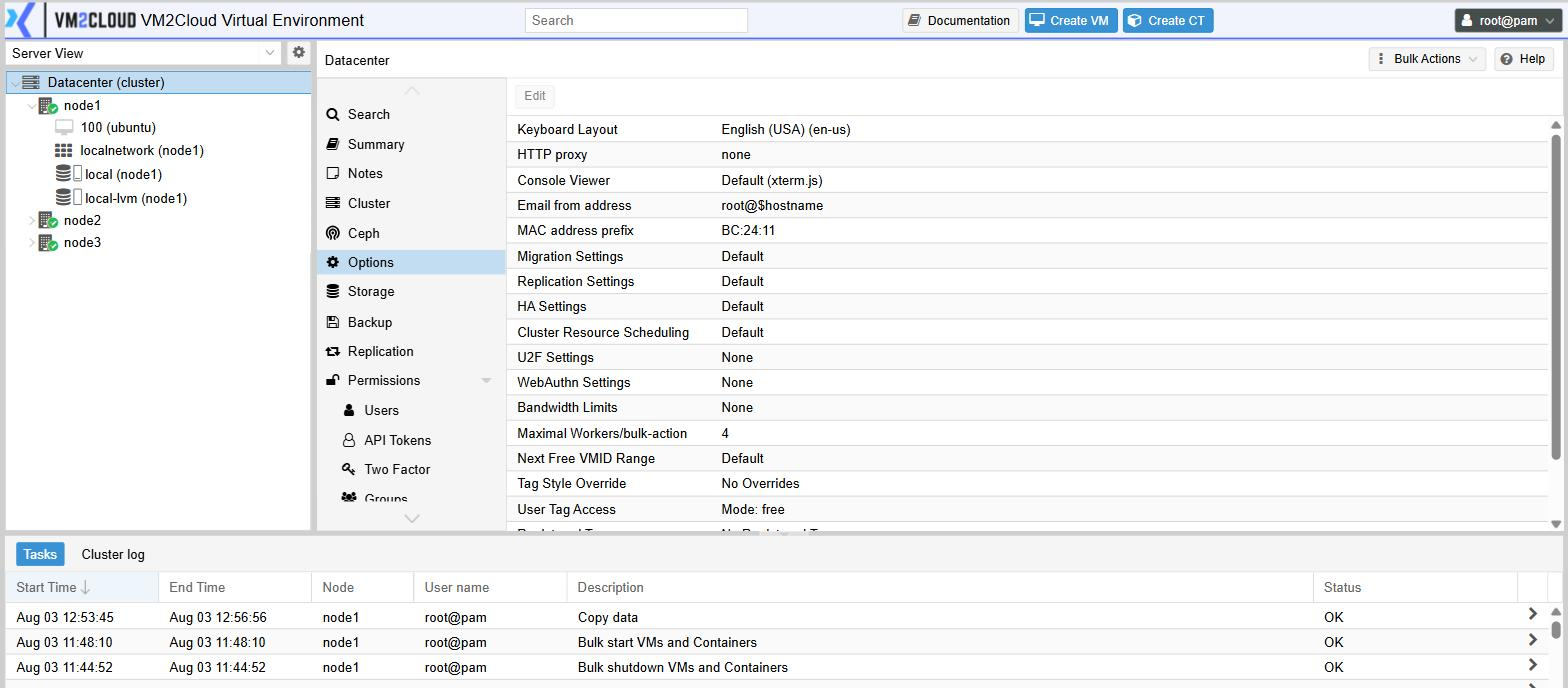
Datacenter → Options holds the defaults that apply across the whole system. Select a row and click Edit to change it.
Most can be left alone. Two are worth changing on the first day, and one can lock everyone out — those are called out below.
Change these first
Section titled “Change these first”| Setting | Why |
|---|---|
| Email from address | Ships as a placeholder that most mail systems reject. Until it is a real, accepted address, notifications — including backup failures — do not arrive. See Notifications and monitoring. |
| Keyboard Layout | Decides how console keystrokes are interpreted. If it does not match the keyboards actually in use, typing in a console produces the wrong characters — which is baffling when you are entering a password you cannot see. |
Every setting
Section titled “Every setting”| Setting | What it controls |
|---|---|
| Keyboard Layout | Keyboard layout used by guest consoles |
| HTTP proxy | Outbound proxy for update and licence traffic |
| Console Viewer | Which console technology the Console button opens |
| Email from address | The sender address notifications come from |
| MAC address prefix | The prefix used when generating machine network adapter addresses |
| Migration Settings | Which network migrations use, and whether they are encrypted |
| Replication Settings | Global limits for replication traffic |
| HA Settings | Cluster-wide high availability behaviour, including what happens to protected machines when a node is shut down deliberately |
| Cluster Resource Scheduling | How the cluster chooses a node when placing or rebalancing machines |
| U2F Settings / WebAuthn Settings | Parameters for hardware security keys |
| Bandwidth Limits | Default caps for cloning, migration, restore and backup traffic |
| Maximal Workers/bulk-action | How many machines a bulk action processes at once |
| Next Free VMID Range | The range the “next free ID” suggestion draws from |
| Tag Style Override | Colour and shape of tag labels |
| User Tag Access | Who may apply which tags |
| Registered Tags | The approved list of tags, when tag access is restricted |
| Consent Text | Text shown and accepted at sign-in |
| Location | Geographic label; nodes inherit it unless they override it |
Notes on the ones that matter
Section titled “Notes on the ones that matter”Migration Settings
Section titled “Migration Settings”By default, migration uses the management network. On a busy or slow management network, moving a large machine can interfere with the traffic the cluster uses to check its nodes are alive. If you have a separate, faster network, point migration at it here.
Bandwidth Limits
Section titled “Bandwidth Limits”Sets ceilings for clone, migration, restore and backup traffic across the cluster. Worth setting where those operations share a link with production traffic — a restore that saturates the network is its own kind of outage.
HA Settings
Section titled “HA Settings”Includes what should happen to protected machines when a node is deliberately shut down — whether they migrate away first, or are simply stopped and restarted elsewhere. Get this right before your first planned maintenance.
WebAuthn Settings
Section titled “WebAuthn Settings”Configure this before asking people to enrol hardware security keys. Enrolments are tied to the settings in place at the time, so changing them afterwards can invalidate keys that were already registered.
User Tag Access and Registered Tags
Section titled “User Tag Access and Registered Tags”By default any user who can edit a machine can apply any tag. If you use tags for anything that matters — environment, owner, billing — restrict access here and define the approved list in Registered Tags, so the vocabulary stays consistent.
Consent Text
Section titled “Consent Text”Anything entered here is shown at sign-in and must be accepted before anyone can proceed.
Where node settings override these
Section titled “Where node settings override these”Several settings have a per-node counterpart under node → System → Options — most visibly Location, which reads from Datacenter options on a node until you override it. See the node menu reference.